

Table of Contents
Welcome to ShareHK! Whether you want to buy unique products or start your own online shop as a vendor, creating an account is quick and easy.
Follow this guide to set up and verify your account in just a few minutes.
Step-by-Step Registration Guide #
Step 1: Access the Sign-Up Page #
- Locate and click the Account Icon (the person silhouette) in the top right corner of the screen.
- From the options that appear, select Register.

Step 2: Fill In Your Account Details #
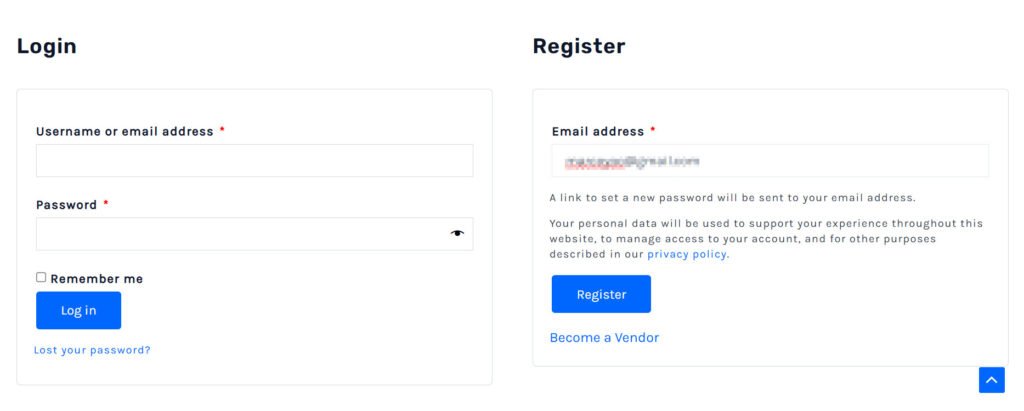
On the registration form, enter your primary credentials:
- Email Address: Enter a valid email address that you check regularly.
Step 3: Choose Your Account Type #
Before clicking register, you must select your role on the platform:
- I am a customer: Select this if you only want to browse, buy products, or book services.
- I am a vendor: Select this if you want to open a shop and sell your own items or services.
🧑💻 Note for Vendors: If you select “I am a vendor,” additional fields will appear. You will need to fill in your Shop Name, Shop URL (your custom storefront link), and Phone Number.
Step 4: Submit Your Registration #
- Double-check your details and click the blue Register button at the bottom of the form.
How to Verify Your Account #
To keep our marketplace safe and secure, all new accounts must verify their email addresses before they can log in or manage their storefront.
Step 5: Check for the Verification Notice #
- Once you click register, a notice will appear on the screen informing you that a verification email has been sent to your registered address.
Step 6: Find the Verification Email #
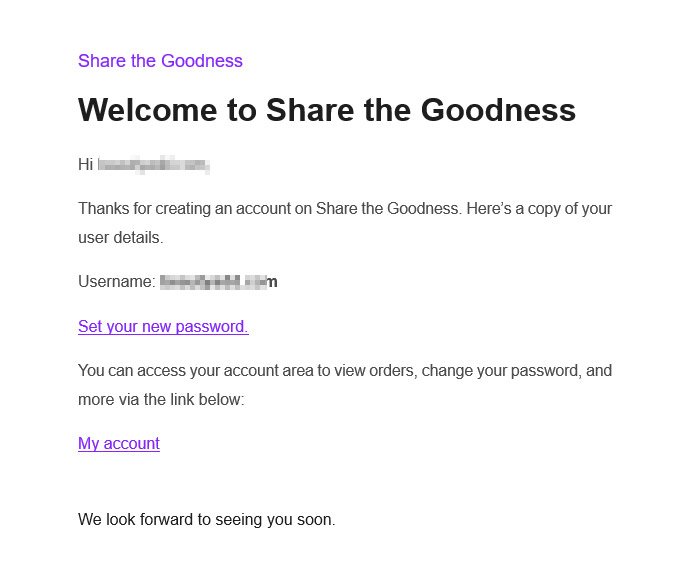
- Open your email inbox and look for an email from ShareHK (with the subject line regarding account activation or email verification).
- Tip: If you do not see it within 2 minutes, please check your Spam or Junk folder.
Step 7: Activate Your Account #
- Open the email and click the Verification Link inside.
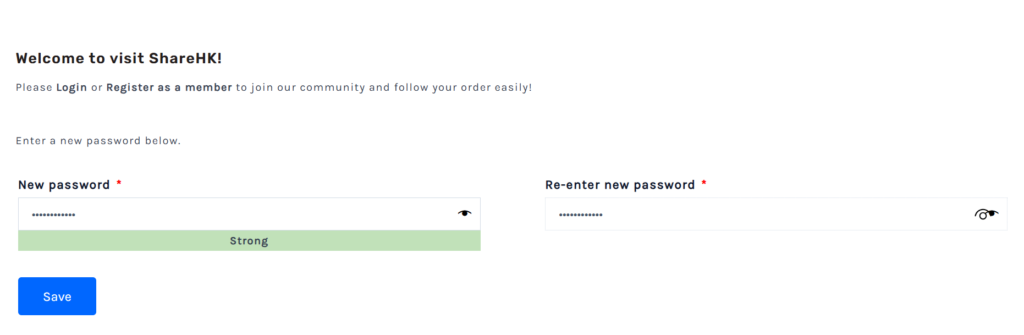
- You will be automatically redirected back to ShareHK.co.uk to a secure password page
- Follow the on-screen prompts to change/update your password to complete your account verification and fully activate your profile.
Next Steps #
- For Customers: You can now log in, update your delivery address in your dashboard, and start shopping!
- For Vendors: You will be redirected to the vendor setup wizard where you can connect your payment gateway (Stripe) and start listing your products.


